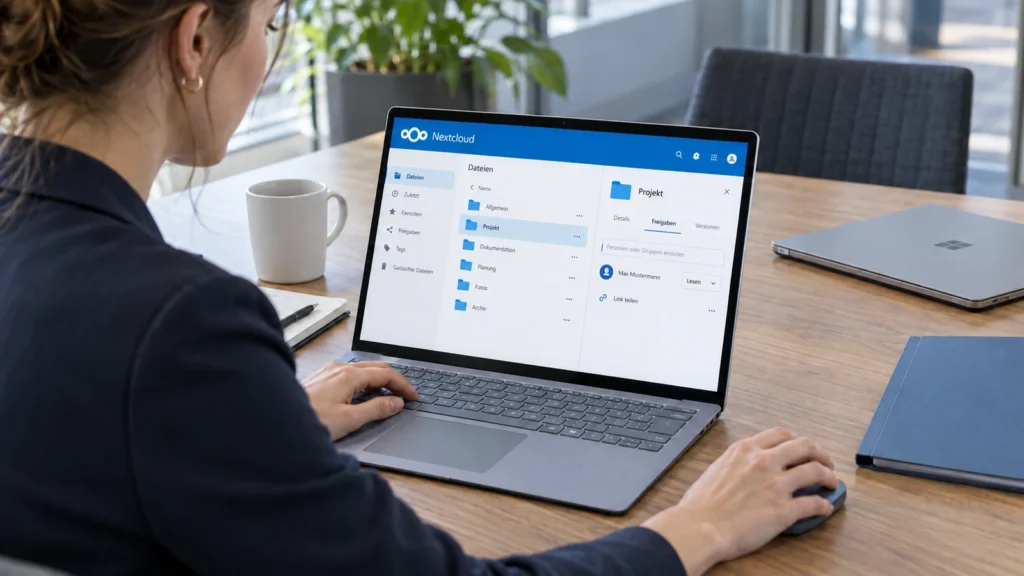
Nextcloud with Collabora can combine a shared file repository and browser editing in an operating environment of your choice. That does not automatically replace every Microsoft 365 or Google Workspace feature. The decision starts with specific documents, permissions and workflows: who edits simultaneously, who receives a link, which customer-facing template must retain its appearance, and who operates the document server?
The DAXS article on Nextcloud operation covers sharing, updates and recovery of the file platform. This article focuses on the additional Office workspace : connecting Nextcloud and Collabora, testing critical files and understanding functional limits. Migrating existing network drives or cloud storage later is a separate topic.
Two services, not just a storage folder
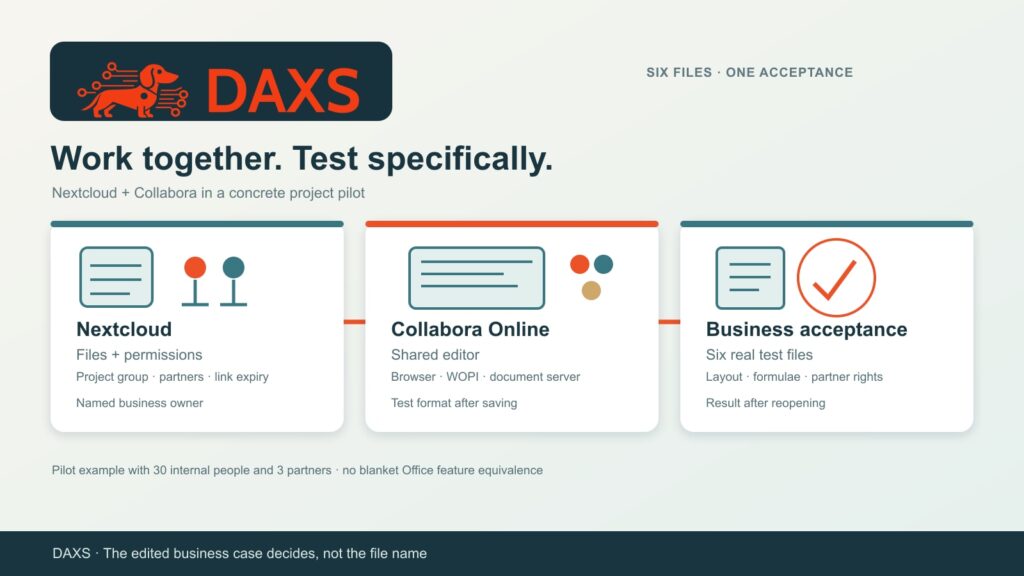
Nextcloud manages users, groups, files and shares. Collabora Online provides the document editor. Through the integration, Nextcloud passes an access token for an authorised file; the document server uses WOPI to open it and write changes back. Browser, Nextcloud and Collabora must reach one another through the intended addresses. Choosing your own hosting establishes the operating location but does not replace a permission model or secured data transport.
Production operation requires a suitably sized document server, TLS, reverse proxy, updates, logs and restricted WOPI access. Nextcloud documentation recommends limiting WOPI requests to the expected Collabora servers; Collabora should likewise serve only the intended Nextcloud host. Exact configuration and available support depend on version, installation method and contract. A successful pilot with a built-in test server is not enough to establish a reliable production architecture.
A project workspace as the decision test
A hypothetical business has 30 internal people and three external partners working on quotations, spreadsheets and presentations. Drafts currently sit in several personal cloud repositories. A pilot uses one shared project workspace with a named business owner, separate roles for internal authors and external reviewers, and time-limited partner access. Before switching, the six files most important to daily work are copied into a test set; originals remain unchanged.
| Test case | Pilot check | Approved by |
|---|---|---|
| Two template-based quotations | Compare layout, fields, comments and PDF output with the original | Sales |
| Two calculation workbooks | Test formulae, links, charts and any macros individually | Finance |
| Presentation and meeting minutes | Check fonts, slide appearance, collaborative editing and version | Project management |
| Partner access | Test read/edit access, link expiry, revocation and access to neighbouring folders | Project owners |
Opening a DOCX, XLSX or PPTX file does not prove compatibility. Collabora reads and saves Office formats but itself identifies differences in complex layout and functions. Microsoft Office macros are particularly sensitive: existing VBA code does not simply behave identically. What counts is the business-approved output after editing, saving and reopening. Files that fail remain in the existing tool for now or receive an explicitly planned adaptation.
Separate permissions from collaborative editing
A project folder needs an accountable group, defined editors and deliberately assigned external access. Being able to create a link is not permission to share with arbitrary recipients. Nextcloud offers sharing rules and restrictions; Office editor group filters additionally control who can use it or edit. Permissions are checked with test accounts from the perspective of an internal reader and a partner. Direct storage access outside Nextcloud belongs in the same assessment, because platform rules do not automatically protect a second access path.
Simultaneous browser editing is a test case of its own: two people change the same paragraph, a third comments, then version and result are checked. Locally synchronised copies, interrupted connections and accidental overwrites require a defined procedure. File synchronisation still does not replace backup; recovery must include Nextcloud, database, data, configuration and document server in the chosen setup.
What Microsoft 365 and Google Workspace can additionally provide
Microsoft 365 combines Office editing with OneDrive, SharePoint, Teams and, depending on the licence, additional security and administration capabilities. Google Workspace connects Drive with Docs, Sheets and Slides and can also edit Office files. Products differ in native workflows, sharing models, desktop integration, automation and policies. Whether a function exists in the actual plan and tenant belongs in the requirements list. Nextcloud/Collabora should therefore be tested against the actually used features, rather than a general impression of a brand. Keeping some existing tools can make sense for specialised workbooks, macros, meeting or email processes.
Make the effort visible before deciding
A fair comparison includes more than storage and subscription prices. Nextcloud/Collabora requires server resources, backups, monitoring, updates, support, identity integration, a pilot and user training. Existing Microsoft or Google subscriptions only decrease when features are retired and the contracts permit a reduction. Different contract windows require a separate licence inventory. This pilot records staff hours and technical costs without claiming unverified savings.
Decision: Only after six representative documents, partner permissions, simultaneous editing and recovery pass business acceptance can the project workspace become the new standard. Failed cases need a specific alternative and an owner. DAXS can assess roles, document server, integration boundaries and a workable pilot with the business; the appropriate scope follows from its applications and contracts.
Workplace and collaboration · IT support · Contact DAXS
Sources: Nextcloud: Collabora configuration and WOPI · Nextcloud: connectivity and operating limits · Nextcloud: file access control · Collabora: Office format limitations · Microsoft: file collaboration · Google: editing Office files.