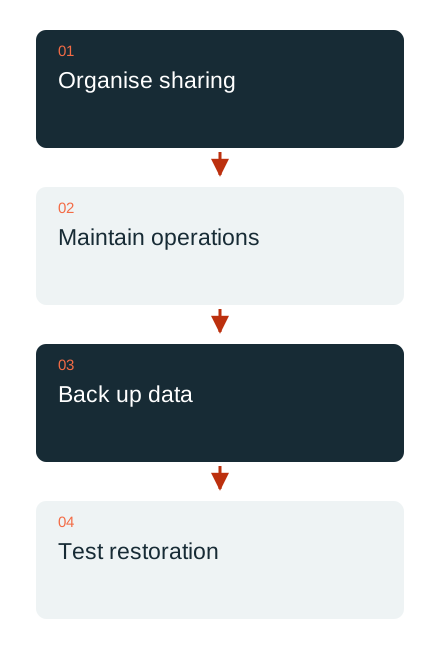
Nextcloud can enable collaboration and file exchange in a controlled operating environment. For this to work in daily use, the solution includes responsibilities, sharing arrangements, compatible updates and tested recovery. The storage location alone does not answer these questions.
Align sharing with collaboration
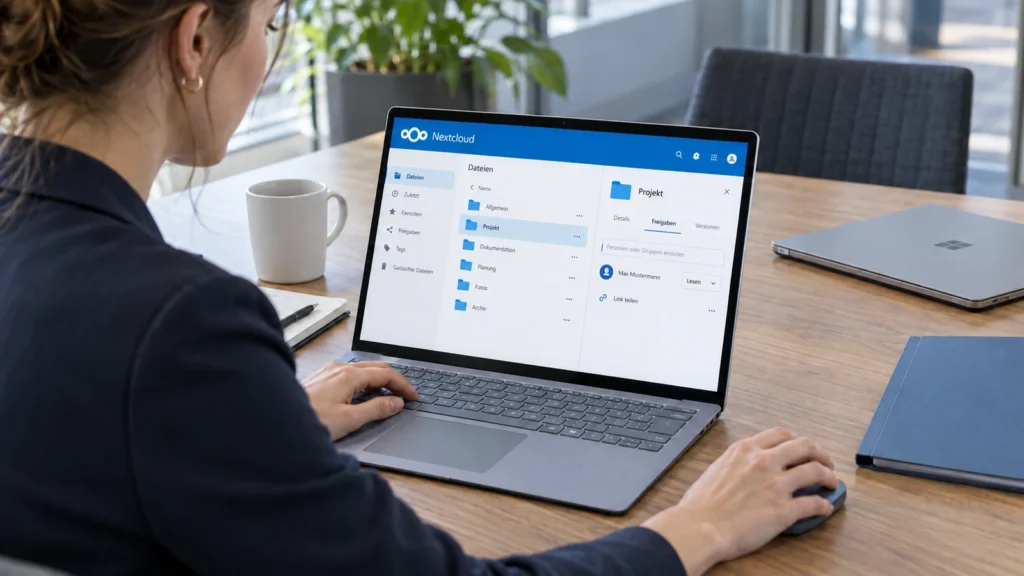
For a project area, define who maintains the content, who should only read it and how external participants receive access. Personal and shared storage are deliberately distinguished. When someone leaves, responsibility for important documents must not disappear with them.
The selected sharing arrangements are tested from the recipients’ perspective. A working link does not establish whether its scope and expiry are appropriate. Local copies on endpoints and organisational handovers also need consideration.
Synchronisation and backup serve different purposes
A synchronised file is available on several devices. An unwanted change can spread across them too. Recovery therefore requires a separate backup strategy suited to the installation.
For a complete backup, the Nextcloud documentation lists the data directory, configuration and database among the required components. These must be consistent with one another. A copied data folder alone does not automatically provide a fully recoverable platform. Keys, apps and the chosen installation method are taken into account.

Plan updates as an operational task
Before a version change, check requirements and app compatibility for the specific installation. The documented upgrade sequence matters; large jumps or arbitrary downgrades are not assumed to work. The built-in updater belongs to a particular installation method and does not replace instructions for every container or packaged environment.
A maintenance window includes a current backup, sufficient resources and someone to accept the business functionality. After the change, test login, sharing, synchronisation and the integrations needed. Any issue receives a concrete action before another change is added.
Check recovery against a real task
A test first restores a selected file or project area. For a larger outage, also check whether the platform and its required state can be recovered in a suitable environment. The responsible people must actually be able to use the result.
DAXS plans Nextcloud alongside identities, endpoints, storage, backups and the other tools in use. Local operation, managed infrastructure and suitable cloud offerings are assessed against requirements. Clear access, working collaboration and demonstrated recovery are signs of a good solution.
Workplace and collaboration · Backup and recovery · Plan collaboration
Sources: Nextcloud: complete backup (external link) · Nextcloud: planned version upgrades (external link)