Virtual machine, container or bare metal? The right operating model follows the application, its vendor support and the team responsible for running it over time. A container does not automatically make an old ERP maintainable. A physical server is not automatically faster. And a VM is no excuse to neglect backup and updates. DAXS therefore starts with the actual workload: operating system, dependencies, data, recovery and measurable load.
This comparison answers the question of where a service should run. Once application containers have been chosen, a different question follows: Docker Compose or Kubernetes for operation? These two decisions should be made separately.
What is actually being separated?
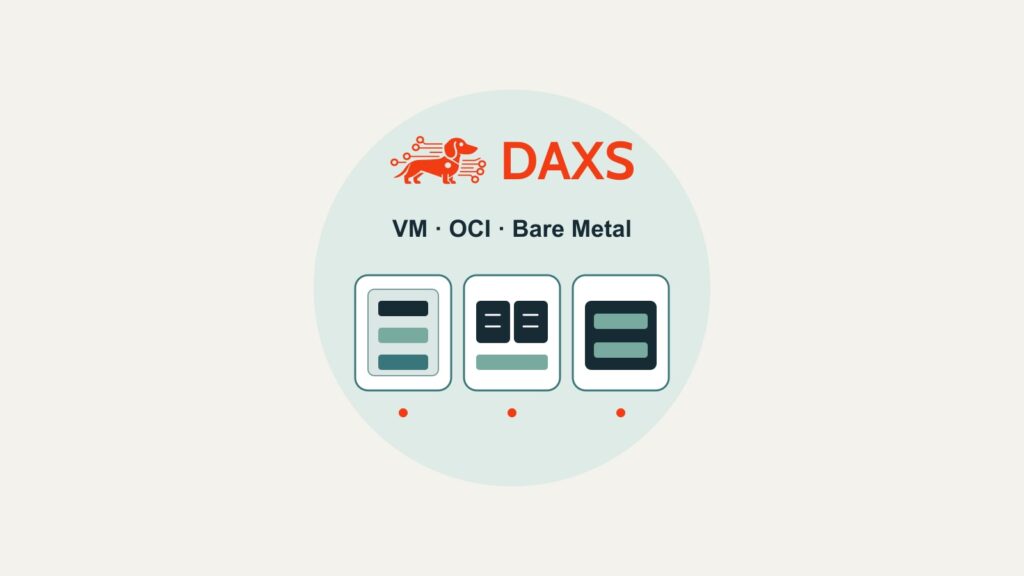
A virtual machine receives virtual hardware and its own guest operating system. This allows, for example, a Windows Server guest alongside Linux guests on the same hypervisor. The VM provides a clear unit for operating-system patches, snapshots and recovery; its application still needs a consistent backup. Proxmox VE uses KVM for this approach.
A container shares the host kernel. Distinguish two operating models: a Proxmox LXC container is a lightweight Linux system, while an OCI application container usually packages one application and its dependencies. Neither is a Windows VM or provides a separate kernel isolation boundary. OCI containers also require a maintained image build, a registry, security updates and a deliberate solution for persistent data. A Linux VM as the container host can provide a useful boundary for operation, backup and permissions; it is not technically mandatory in every scenario.
Bare Metal runs the operating system and application directly on a physical server. This can suit vendor restrictions, specialised hardware or proven latency requirements. It reduces consolidation on that host, however, and ties maintenance windows, spare parts and recovery more closely to the physical machine. Here too, measurements and support commitments determine suitability rather than blanket performance claims.
Five typical workloads and their first evaluation path
The following paths are starting points for testing, not general product approvals. Vendor documentation, the licence agreement and a recovery test are needed to make the decision sound.
| Application | Evaluation path | Critical question |
|---|---|---|
| Windows ERP with a database and vendor support | VM as a natural starting point | Which combination of guest OS, hypervisor, SQL and licences is actually supported? |
| An in-house Linux web service with a reproducible build | OCI application container, possibly on a Linux VM | Who builds and updates images, checks vulnerabilities and operates the registry, secrets and logs? |
| A vendor’s Linux appliance | First examine a supported VM | Does the vendor accept virtualisation, virtual devices and the proposed backup/recovery path? |
| A database with a high write load | VM or bare metal based on measurements; containers only with tested persistence | How do p95/p99 latency, IOPS, replication and consistent recovery behave under peak load? |
| A service with a dongle, specialised card or direct device access | Test VM passthrough; consider bare metal | Can vendor support, device assignment and recovery be maintained after replacing a host? |
A database container is not inherently wrong. Its writable container filesystem is not, however, the place for data that must survive container replacement. Plan volumes, consistency methods, backup and recovery explicitly. Conversely, a VM does not turn an untested database backup into reliable recovery.
Six checks for the decision
- Vendor and licence: Check supported operating systems, hypervisors, container runtimes and hardware restrictions in writing. Windows Server rights depend on factors including edition, licensed cores, the number of virtual environments and the contract; “one VM” does not imply a flat price.
- Isolation and permissions: Which service may affect another? Containers have namespaces and resource limits but share the host kernel. Runtime, privileges, mounts, networking and updates belong in the security review.
- Measure performance: Record CPU, RAM and I/O load, p95/p99 latency, peaks and batch windows with real data. Choosing bare metal solely because of assumed “virtualisation overhead” can tie up expensive capacity without resolving the actual storage or network problem.
- Data and recovery: Define RPO and RTO per service. Practise a complete restore on another host, including the database, configuration, credentials and dependencies.
- Changes and staff: Who patches the guest OS or host kernel? Who rebuilds container images? Who can handle a failed rollback or hardware replacement at night? Available skills limit how many platforms can sensibly be operated in parallel.
- Failure domain: Assess host, storage, network and backup separately. Neither one bare-metal server nor several containers on a single host become highly available because of their name.
Compare effort before claiming savings
For three or five years, place the same application with the same load and recovery target in every column. For each path, record initial migration and setup, hardware and spares, operating-system and application rights, hypervisor or runtime support, energy, backup, monitoring and annual staff hours. OCI containers also need items such as a build pipeline, registry, image maintenance and possibly orchestration. Bare metal may require spare hardware for failures and a different maintenance window. For VMs, include host capacity and guest operating systems. An existing cluster is only “free” for the new service if capacity reserves, licences and operating resources actually exist.
The verifiable basic formula is: total cost over n years = initial setup and migration + n × (annual licences + support + energy + backup + operating hours × internal hourly rate) + planned renewal. n is three or five. No operating model has a general cost advantage without specific quotations, load measurements and support terms. The comparison must also show the cost of missing RPO/RTO targets rather than hiding it outside the calculation.
How DAXS would select the operating model
DAXS would first create a short application list with owner, data flow, vendor support, dependencies and recovery target. A brief technical test then compares two realistic candidates: production-like load, patch/upgrade path, host or device failure and recovery on another machine. The result is a traceable decision per application, not a requirement to move every service onto one platform.
Existing Windows and Linux VMs can often be assessed step by step; Proxmox in Business describes the virtualisation foundation. If containers are suitable, the comparison of Docker Compose and Kubernetes helps with the next step. For a specific workload, use Contact to work with DAXS on turning vendor approval, measurements and recovery into an operating decision.
Sources: Proxmox VE: KVM and LXC · Docker Engine: security model · Docker Engine: persistent data · Microsoft: Windows Server Virtualization Licensing Guidance.