

IT infrastructure in detail.
Plan, migrate and keep operating.
Plan servers, storage, networks and access as one connected environment. Make informed decisions about sizing, platform choice, migration and recovery.
As much capacity as needed. As clear as possible.
Headcount is only part of the decision. Business applications, data volumes, locations and the consequences of an outage determine what the infrastructure must deliver.
- 01Compact environment
A few applications and one location: organise devices, networking, access and backups so that support and recovery remain manageable.
- 02Growing platform
More data and interconnected applications: plan compute, storage and expansion. Maintenance and outages need consideration before purchasing.
- 03Multiple locations
Location-dependent applications and connections: check access routes, shared identities and fallback options. Responsibilities remain clear across all locations.
From the workstation to a tested recovery path.
DAXS records which applications need data, which access routes connect them and which components would be missing in an outage. This creates a target architecture with clear responsibilities.
Arrows show simplified connections: work and access, local and external services, backup and oversight. Monitoring observes the relevant layers; backup uses separate permissions. The actual network is planned separately.
Maintainable, expandable and recoverable.
Support applications
A server platform must support the required software, data and workload. Virtualisation, storage and spare capacity are sized around requirements. Proxmox, Hyper-V and VMware are possible tools; support, licensing costs and existing skills inform the decision.
Connect people
Weak Wi-Fi or a single critical connection can disrupt daily work. LAN, Wi-Fi, firewall and secure access are planned together. OPNsense, Sophos and other suitable solutions are assessed by functionality, maintenance and ownership.
Create separation and oversight
Production data and its only backup at the same location share a risk. Separate copies, monitoring and a tested recovery path are planned. Colocation or privately operated cloud platforms can be useful where requirements justify them.
Servers, storage and networking need to be sized together. On our HPE detail page we explain typical platform tasks and the distinction between manufacturer support and DAXS support.
A new platform is a transition within ongoing operations.

- 01Assess the current environment
Record applications, data, access and dependencies. Business contacts define what must work in a test.
- 02Define the objective and time window
Agree requirements, sizing, procurement and migration. The business decides the budget and operational maintenance windows.
- 03Prepare testing and rollback
Check data transfer and business functions; define backups and fallback arrangements. Cutover is approved only when the agreed criteria are met.
- 04Hand over and support
Document configuration, access and outstanding issues. Hand monitoring and support over to the agreed owners.
Check connections. Keep changes traceable.
At the equipment cabinet, connections, port assignments and network allocation are checked together. Device management tools complement the on-site labels and documentation.
This makes it clear which connection serves an application or workstation and what also needs checking when something changes.
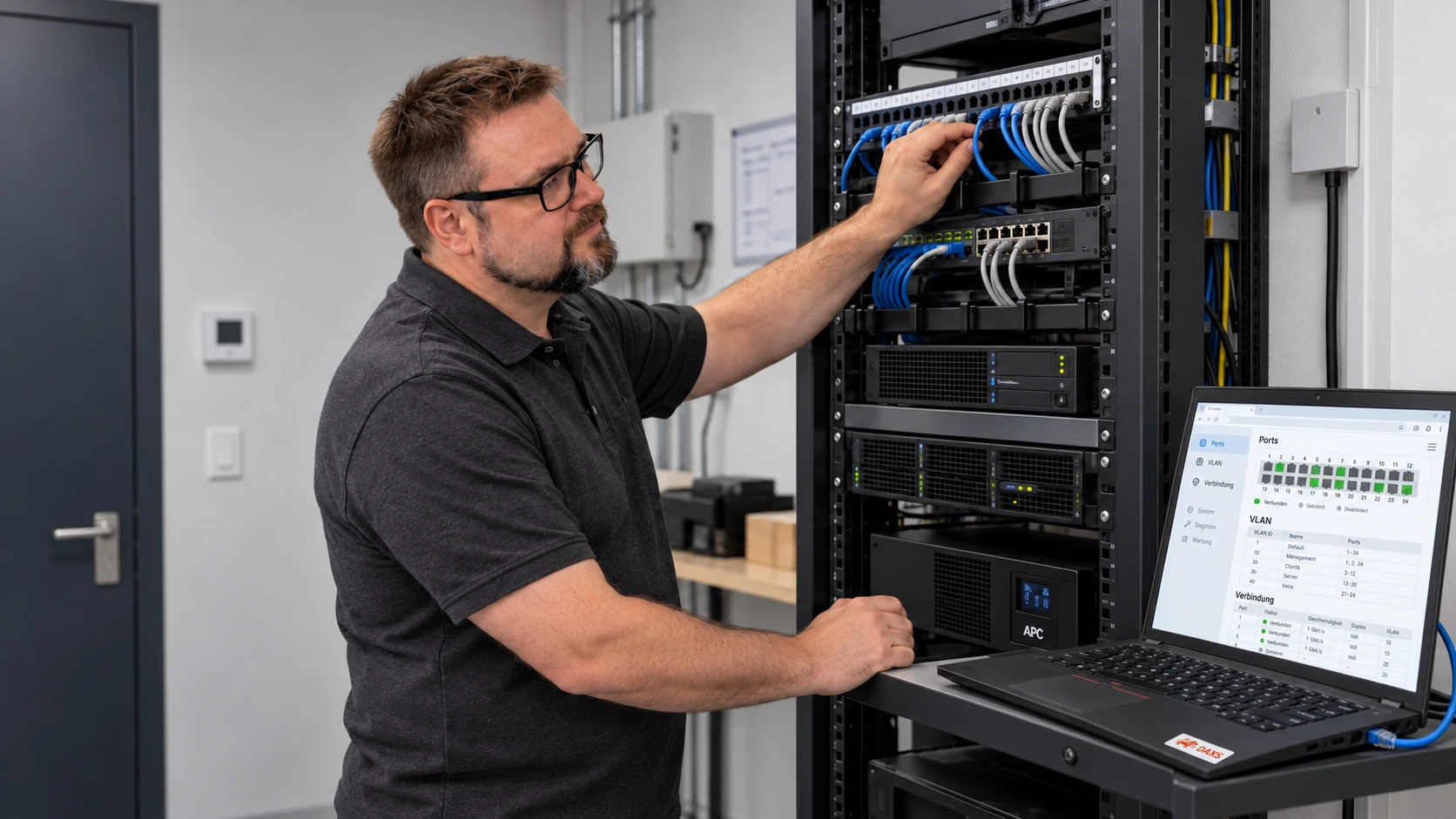
Secure transitions and remote access are part of checking connections. Firewall, VPN and ongoing rule maintenance with Sophos explore these tasks for a specific platform.
Which work can continue during an outage?
A second connection, spare hardware or fallback access each addresses a specific failure. DAXS checks scenarios and dependencies and documents the planned steps.
Recovery of important applications is prioritised. Tests show whether data, access and business workflows are available. An architecture diagram alone provides no availability guarantee.
Changing platforms while keeping dependencies in view.
A business wants to renew its virtualisation platform. The number of virtual machines describes only part of the task: databases, authentication services, interfaces and backups are connected. DAXS records these relationships and plans a sequence in which business workflows remain testable.
Prepare the transition
Workload, storage requirements, network paths and support status are checked. A suitable pilot shows whether the target platform supports the required functions. Source backups, the rollback decision and a workable cutover window are agreed before the production transition.
Accept the new environment
A successfully started virtual machine is not enough: sign-in, business applications, data access and dependent services are tested. Backup and recovery must also work on the target platform. Documentation, access and support are then handed over in an orderly way.
View planning and acceptance points
- Record the environment, resources and technical dependencies.
- Check the target platform, licences and supported components.
- Plan a pilot with meaningful application and data test cases.
- Agree the cutover sequence and possible interruption.
- Define backups and the criteria and timing for rollback.
- Acceptance: demonstrate the workflow, monitoring, backup and responsibilities.
Example review framework. Scope and suitable evidence are agreed for your environment.
View an illustrative system diagram

Questions about infrastructure.
Does every business need a cluster?
Can existing hardware be kept?
Which virtualisation platform is right?
Are colocation and private cloud the same thing?
How are multiple locations connected?
What does handover include?
Review your infrastructure and the next steps.
Bring details of your applications, locations and known bottlenecks. We start with the existing environment and a reasoned target architecture.