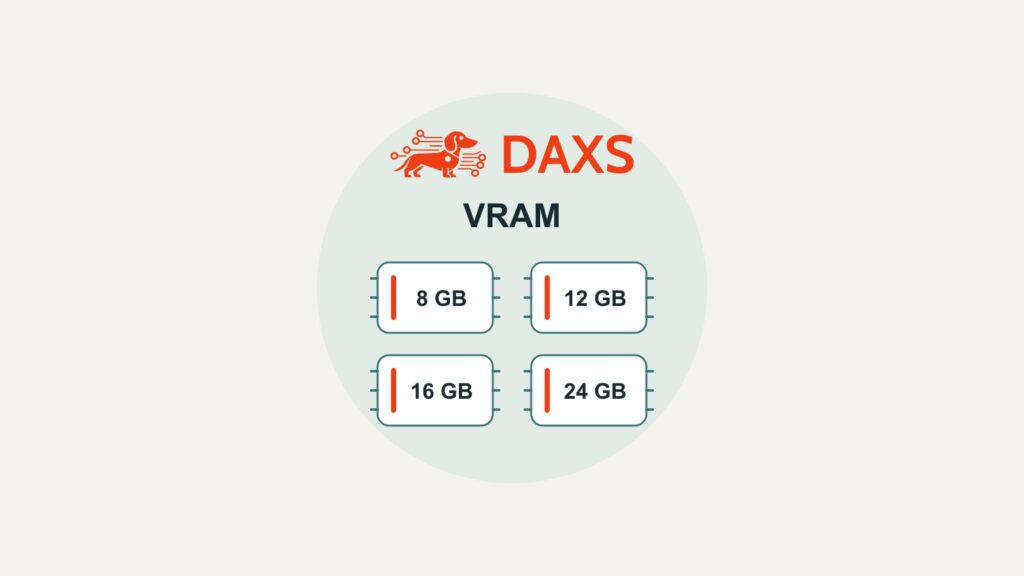
8, 12, 16 or 24 GB of graphics memory helps narrow the choice. Whether a local language model works well in daily use also depends on the model version, context and concurrent use. A small memory comparison can prevent a costly mistake.
What actually occupies graphics memory
Planning covers three areas: the loaded model weights, the context memory including the KV cache and the runtime buffers of the backend in use. Allow additional room for other GPU applications and an operating reserve. With a typical discrete graphics card, system RAM and graphics memory are separate resources.

Systems with shared memory have a different budget: the operating system, applications and model draw from the same pool. Here too, a pilot should measure the memory actually available and the real task. Nominal capacity alone is insufficient for either design.
4 bits: a useful calculation with clear limits
The “B” in 7B or 70B means billion parameters. A rough weight calculation at a uniform 4 bits is: parameter count × 4 ÷ 8 = bytes. Quantisation stores weights at lower precision. Its effect on answer quality must be checked against the task.
| Model class | Theoretical size at 4 bits | What this means |
|---|---|---|
| 7–8B | 3,5–4,0 GB ≈ 3,26–3,73 GiB | A compact starting point for an initial test; the actual file and context must also be considered. |
| 14B | 7,0 GB ≈ 6,52 GiB | This calculation alone does not demonstrate full execution on an 8-GB card. |
| 32B | 16,0 GB ≈ 14,90 GiB | Even a nominally sufficient weight budget leaves no space for the rest of operation. |
| 70B | 35,0 GB ≈ 32,60 GiB | Even the weights exceed a single 24-GB card in this simplified calculation. |
A specific GGUF is larger or composed differently from this calculation. Methods such as Q4_K_M do not simply store every component at four bits per parameter. Planning should therefore name the exact model file and quantisation variant being considered.
A reproducible example from the official Qwen file listings: the combined Q4_K_M file parts for Qwen2.5-Instruct occupy, for 7B, about 4,68 GB / 4,36 GiB, for 14B 8,99 GB / 8,37 GiB and for 32B 19,85 GB / 18,49 GiB. These are file sizes, not measured VRAM consumption. They do show why “32B at 4 bits fits in 16 GB” is not a sound commitment for this particular version.
Putting 8, 12, 16 and 24 GB in context
| Capacity class | Useful test scope | Points to check |
|---|---|---|
| 8 GB | Start with a compact 7–8B version and limited context. | Other GPU use and longer inputs can quickly reduce the available budget. |
| 12 GB | More headroom for compact models; test a specific 14B quantisation. | Weights, KV cache and runtime buffers must fit together in the free memory. |
| 16 GB | Additional reserve for suitable smaller and medium model versions. | The cited Qwen2.5-32B-Q4_K_M already exceeds this class as a complete file. |
| 24 GB | A suitable 32B quantisation can enter the shortlist. | Long context and concurrent requests need additional testing. This does not imply 70B support. |
Check the measurement tool’s units and the free memory. Two cards with the same capacity can differ considerably in memory bandwidth, computing performance, driver support and power consumption. More GB therefore constitute neither model approval nor a benchmark.
Include context and concurrent requests in testing
The KV cache holds intermediate values needed for processing. Its size depends on factors including model architecture, context length and storage format. Long documents, chat histories and inserted knowledge extracts require extra space. The model’s advertised maximum context window is therefore not a freely available memory allowance.
Passing a single-request test also says little about concurrent requests. With Ollama, parallel context processing increases memory use; record the exact configuration. Alongside a short request, test a longer realistic context and expected concurrency. Assess answer quality, time to first token, total duration, errors and peak memory use together.
Depending on runtime and backend, a smaller or quantised KV format can save memory. It can also affect accuracy and behaviour. Model-weight quantisation and KV quantisation are separate settings; compare both using the same task-specific tests.
Offloading to CPU and RAM: possible, with different behaviour
Runtimes such as llama.cpp support splitting execution between CPU and GPU. This can make a model usable when its full memory requirement exceeds graphics memory. Sufficient system RAM and a suitable data path are required. An SSD cannot replace missing VRAM with equally fast graphics memory.
Offloading changes the execution path and often response time; its impact cannot responsibly be quantified without measurement. In Ollama, use ollama psto check the current CPU/GPU split. Multiple GPUs likewise do not automatically equal one large device: support, distribution and transfers between cards belong in the architecture review.
Before buying: validate a specific configuration
- Define the model: exact version, quantisation, licence and required answer quality.
- Define the load: context budget, input/output lengths and concurrent requests.
- Check the environment: specific GPU, backend, drivers, operating system, RAM, cooling and power supply.
- Measure: free capacity, peak consumption, response times and task-related errors in a representative pilot.
- Decide: reuse existing hardware, upgrade selectively or choose a local, external or hybrid service.
DAXS fits model and hardware selection into your existing IT and agreed operating arrangements. The specialist page Local LLMs & Infrastructuredescribes the framework. The article on a load pilot for local AI shows evaluation with realistic tasks; Costs & Model Selection examines the financial side.
Discuss model and hardware selection
Sources: Ollama: context length (external link) · Ollama: memory, concurrency and offloading (external link) · llama.cpp: execution paths (external link) · Hugging Face: GGUF (external link) · official Qwen file listings 7B (external link), 14B (external link), 32B (external link). Inference guidance; not a training test, hardware quotation or claimed customer measurement.