A possible everyday scenario: a form is still displayed, but the downstream interface no longer accepts requests. Or an overnight import stops because its authentication is no longer valid. Such dependencies often become apparent only when the business process itself fails to happen.
An API credential therefore needs more than secure storage. Ownership, validity, replacement procedures and checks of actual functionality belong together. This applies to API keys, OAuth client credentials, service accounts and certificates, each with different rules.
Expiry, rotation and revocation are different events
A fixed expiry date can technically prevent further use. A rotation policy instead defines when a credential should be replaced. It may be enforced by the provider or agreed operationally. Revocation terminates permission for a particular reason and can also affect a credential that has not yet expired.
Not every key automatically has the same lifetime. Google, for example, documents no default expiry for user-created service account keys; suitable organisation policies can change that. Microsoft Entra client secrets, by contrast, have a defined validity period. Record the actual issuer’s rule rather than assuming one interval for all services.
In OAuth, an access token, an optional refresh token and an application’s credentials are different forms of authentication material. Their lifecycles must not be merged into one “API key” in the inventory. A service account’s identity is likewise not the same as one of its individual keys.
An inventory needs ownership, not plaintext secrets
For every important integration credential, record at least the service, project, affected process, issuer and credential type. Add an accountable person or role, a deputy and a reachable escalation route. Whoever receives a warning must know which business process depends on it.
- Policy: Issue date, actual expiry or explicitly no expiry, intended rotation and possible provider changes.
- Dependencies: Applications, jobs, installations and separate environments using the credential.
- Storage: Reference to the approved secrets store and its administrators; no raw values in the inventory.
- Replacement: Test procedure, lead time, approval, rollback route and date of the last successful test.
A date in a secrets store and the validity technically enforced by the issuer are checked separately. Maintaining a metadata entry does not renew the credential with the provider automatically.

Warn early and test actual functionality
An expiry warning needs enough time for approval, provisioning and testing. Lead time depends on the provider, risk and organisational effort. A recipient without a deputy, or a warning route using the affected integration itself, creates an unnecessary dependency.
Also monitor whether the expected process works: are requests arriving? Is the import running? Can the intended model request be processed? Error rates, missing runs and reproducible test cases can reveal deviations even when no expiry is approaching. The check should generate as little additional data and cost as possible.
A failed call does not automatically mean an expired key. Permissions, quotas, billing or payment status, provider changes and technical reachability are investigated separately. The specific error and its impact determine the next action.
| Event | What it means | Suitable preparation |
|---|---|---|
| Technical expiry | A credential ends under the issuer’s rule. | Check the date, replace in time and test functionality. |
| Planned rotation | An existing credential is replaced as scheduled. | Know all consumers, check transition and rollback. |
| Revocation or withdrawal | Permission is deliberately terminated. | Consider the reason, affected credentials and running operations. |
| Other integration error | For example permissions, quota, payment status or reachability. | Investigate the specific cause and business process separately. |
Plan replacement as one coherent process
If the provider supports multiple credentials valid at the same time, a new credential can be prepared while the old one still works. Microsoft describes this principle for resources with two keys, for example. This is a provider-specific option, not a general commitment for every API.
- Prepare: Check permissions and all consumers, provision the new credential in the designated secure store.
- Test: Verify the actions actually needed with the new credential in a suitable test environment or within a controlled scope.
- Switch: Update affected applications and jobs in an orderly way; account for loading behaviour and possible caches.
- Observe: Check functionality and error trends. Determine whether an overlooked consumer still needs the old credential.
- Complete: Revoke the old credential after confirmed replacement and update inventory and operations documentation.
With only one credential valid at a time, replacement requires closer coordination. An agreed maintenance window may make sense. Define the rollback route beforehand; do not simply reactivate a compromised or revoked old credential.
Reduce the need for permanent keys where possible
Suitable platforms offer managed identities or federated authentication for applications. These can reduce the handling of self-distributed long-lived secrets. Suitability, target permissions, lifetime and recovery must still be checked. A certificate also needs a lifecycle.
A secret scanner complements protection by detecting potentially exposed credentials. It maintains neither the operational dependency inventory nor the full replacement process across all consumers. Leak detection and lifetime management serve different purposes.
Start with business-critical connections
DAXS records important interfaces and ownership, checks warning routes and develops a repeatable replacement process. A pilot can start with form delivery, a data import or a model integration. These are possible test cases, not claims about customer incidents.
The development and integration services and the MCP and interfaces technical page explain the integration. The article on project-specific MCP permissions adds controlled access. You can request an inventory of your integration credentials.
Frequently asked questions
Must every API key be regenerated regularly?
There is no single rule for every provider. Validity, issuer rules, risk and the operational replacement process are assessed specifically. A key without a fixed expiry date still needs orderly management.
Is an email shortly before expiry enough?
A warning is useful only if ownership, a deputy and a tested process exist. It should also be apparent whether the dependent function actually works.
Can rotation always happen without interruption?
That depends on the provider, credentials usable in parallel and application loading behaviour. Where overlapping replacement is impossible, plan a coordinated process with a suitable maintenance window.
Sources: Google Cloud: service account keys and expiry (external link) · Microsoft: application credentials and rotation (external link) · Microsoft: replacement with two credentials (external link) · Microsoft: rotation with one credential (external link) · IETF: OAuth tokens and application authentication (external link) · OWASP: secrets lifecycle (external link) · GitHub: secret scanning scope (external link)
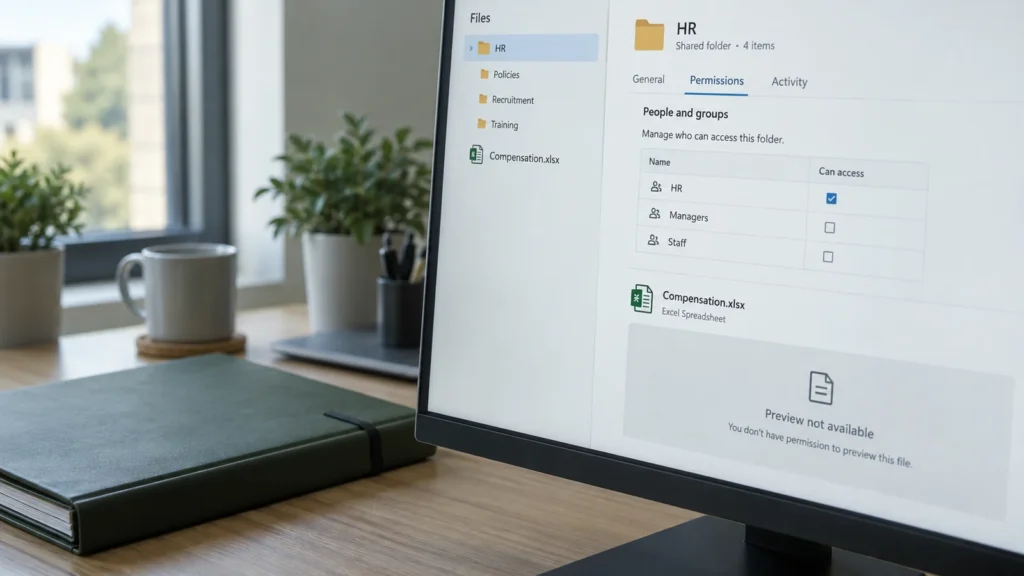
Possible scenarios and simplified processes; specific rules and replacement options depend on the provider and application. The diagram and illustrative image do not show a customer configuration.