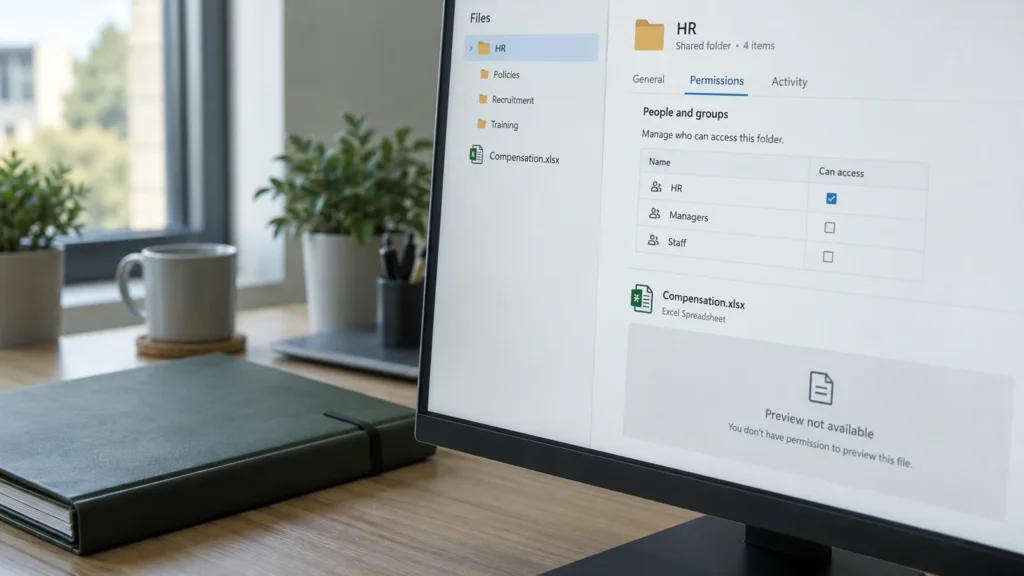
An AI worker needs to inspect a project server or trigger an approved action. It needs appropriate tools and permissions. A file containing every API token and private SSH key in the project folder makes this convenient but increases the potential impact of an error or manipulated input.
A controlled MCP intermediary can represent the permitted scope of action precisely. The agent requests a defined action; the server checks identity, project and permission. Where the workflow allows it, a restricted backend service uses the necessary credentials without returning them to the model.
MCP provides tools, not automatically secure permissions
The Model Context Protocol describes how clients use a server’s tools and other capabilities. The application must reliably decide whether a user may perform a particular action on a specific object. An authenticated client is not automatically authorised for every project or tool.
For protected HTTP connections, MCP describes an OAuth-based authorisation flow. The current specification distinguishes this from local STDIO connections. Appropriate protection depends on the actual transport. An arbitrary key in a URL parameter or one shared permanent token is not equivalent to differentiated permission management.
A concrete example: project A stays project A
A worker is tasked with querying the state of an agreed service in project A. A dedicated tool accepts a validated object identifier and returns only the required result. It offers neither an unrestricted shell nor a general export of all secrets.
Every request is checked on the server against user, project, tool and action. Changing the project identifier on the client must not enable access to project B. Targets are resolved from approved mappings; an arbitrary address supplied by the model is not sufficient authorisation. Tenant boundaries belong in this check.

Validate tokens for the intended recipient
At a protected HTTP MCP server, an access token must be issued for the intended recipient and validated there. Audience, permitted scope and validity belong together. Short lifetimes limit the window for a stolen token; they replace neither server-side object checks nor the revocation process.
The MCP security documentation prohibits unvalidated token passthrough: a server must not accept tokens issued for other resources as its own proof of authorisation and forward them unchanged to downstream APIs. MCP client sign-in and authorisation at a target system are separate trust relationships. An unclear handover can turn a privileged intermediary to someone else’s purposes; this is known as the confused deputy problem.
Use secrets in the intended backend
A managed secrets backend can provide credentials by responsibility and purpose. The executing service receives only necessary permissions. The administration interface manages approvals, mappings and revocation; it does not become a generally readable password catalogue for all connected workers.
A restricted tool might read a status value or perform an expressly permitted operational action and return a sanitised result. Raw secrets-backend data must not casually appear in tool output, error messages, traces or prompts. If a particular client technically needs a secret, that disclosure is explicitly assessed and limited by scope, lifetime and recipient. A blanket guarantee of no secret disclosure would then be wrong.
| Check | Required boundary | Concrete test |
|---|---|---|
| User and project | Every action stays within the permitted project scope. | Change the project identifier: reject unauthorised access. |
| Tool and parameters | Only intended actions and targets are reachable. | Reject an arbitrary target address or another object’s identifier. |
| Token and backend | Recipient and authorisation path are unambiguous. | Test incorrect audience, expiry and revocation. |
| Secrets and results | Only required results leave the backend. | Inspect tool output, errors and logs for raw values. |
| Approval and operations | Consequential changes have specific approval. | Test target binding, lifetime, limits and failure handling. |
External content must not grant permission
A ticket, website or repository may contain text intended to steer the agent towards other actions. Tool descriptions and results may also be manipulated. This content is data, not proof of authorisation. A prompt such as “use only project A” helps describe the task but does not replace a technically enforced project boundary.
Narrow tools, validated parameters, restricted target systems and independent authorisation checks reduce the impact of prompt injection. Additional approvals depend on the action: a status query needs a different procedure from a change with substantial consequences. Approval is bound to the specific target and intended change.
Plan logging and revocation
For accountable operation, record user or service identity, project, tool, decision, time and result. Exclude secret values. Agree retention, log access and necessary detail for the environment. A single success log does not replace checking what actually happened at the target.
Rate limits, time limits and a restricted backend scope further reduce the impact of unexpected calls. During revocation, consider new calls, already issued credentials and ongoing actions separately. Failure of the MCP or secrets service needs a defined error-handling and recovery path.
Start with a small pilot
A suitable pilot starts with one project and a few read-only tools. Test permitted and forbidden object identifiers, missing permissions, expired credentials, manipulated results and backend failure. Only then assess clearly restricted write actions. Scope depends on risk and existing operations.
DAXS supports architecture, integration and a verifiable tool scope. The MCP and interfaces topic page, the article on managed SSH access and the AI security overview explore the connections. You can discuss a project-specific AI integration.
Frequently asked questions
Can an MCP server hide every credential from the model?
With suitably designed server-side actions, the model can receive only a sanitised result. Whether this is possible for every required operation must be checked. Technically passing a secret to the client changes the risk assessment.
Is a long secret token sufficient protection?
No. Recipient, scope, validity, user and project assignment, and the specific action must also be checked. One broadly authorised token does not provide that separation by itself.
How does a pilot with several projects begin?
First define and test the permitted actions for one project. Then test a second project with explicitly forbidden cross-references too. Only separation that is actually enforced provides a basis for further tasks.
Sources: MCP: authorisation, version 28.07.2026 (external link) · MCP: trust boundaries and token passthrough (external link) · OWASP: authorisation per request and object (external link) · OWASP: managing secrets (external link) · OWASP: limiting prompt injection (external link)
Specific functions and operational scope are agreed for the environment concerned.